// Concepts
Keys and Parties
Your key signs, your party acts on the ledger, and the app’s validator hosts it.
You act on SyncVotes through two things: a key in your browser, which signs, and a party on the ledger, which acts. This page explains how they fit together, and what the app's validator can and cannot do with your party.
Your Key
Your key is an ed25519 signing key made from your 12-word recovery phrase. The same phrase always gives the same key, on any device.
- While you are signed in, the key is in the page's memory, and the page can only ask it to sign.
- Between visits it is stored on your device, encrypted, if you chose to keep it.
- It never leaves your browser. The server gets your public key and your signatures.
See Recovery Phrase and Devices.
Your Party
A party is an identity on the Canton ledger: contracts name parties, and transactions act as them. Your party ID has two parts:
| Part | Example | What it is |
|---|---|---|
| Party hint | nina | The name you chose when you created the party. |
| Fingerprint | 12201f26… | A hash of your public key. It ties the party to your key. |
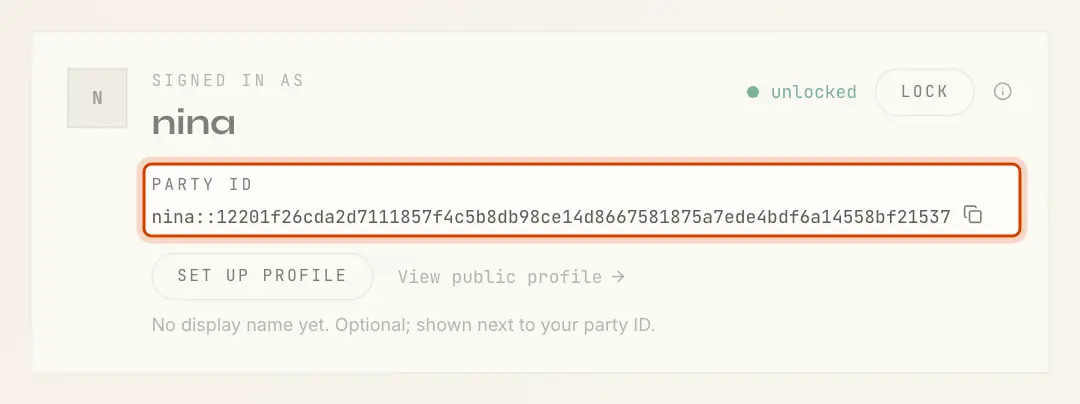
Because the fingerprint comes from your key, the app finds your party from the key alone. That is how restoring a phrase brings your party back.
Hosted on the App's Validator
Your party is an external party: its signing key is outside the ledger, with you. It is hosted on the SyncVotes validator, the Canton node the app runs on; hosting is what makes the app's Daml package available to your party.
When your party is created, your browser checks its setup before signing it (the activity box says ):
- the party is in your key's own namespace, under the hint you chose;
- your key is its only signing key, and one signature is enough;
- the validator gets confirmation rights only.
Confirmation rights let the validator confirm transactions your party is part of, which Canton needs for them to go through. They do not let it submit a transaction as you.
What the Validator Can and Cannot Do
| It can | It cannot |
|---|---|
| See every contract your party is part of, and every ballot in its DAOs | Sign a transaction as you |
| Delay or refuse to process your transactions | Vote, propose, comment, create a DAO or set a profile in your name |
| Stop. While it is down, nothing of yours moves | Change what you signed |
The full list is in Trust Model.
Why You Sign in the Browser
Every write takes three steps, which the activity box at the bottom right of the page names as they run:
- : the server builds the transaction and sends it to your browser.
- , then : your browser checks it, and your key signs its hash.
- : the server submits it with your signature, and the ledger checks the signature.
The app's own ledger user has no right to act as your party. A transaction of yours reaches the ledger only with your signature.
Reading works the same way. When you unlock, your key signs a one-time challenge and the server opens a session for your party, for up to 12 hours. If the server restarts, your browser signs a new challenge without asking you. Locking ends the session.
What "Verify Before Signing" Checks
Before your key signs, the browser decodes the prepared transaction and checks that:
- its hash, computed again in the browser, is the hash it was asked to sign;
- it acts as your party and nobody else;
- it is one of the five things you can do: create a DAO, set your profile, propose, vote or comment;
- it uses the Daml package this version of the app was built with;
- it is on the contract the page shows (your membership, for example);
- its arguments are exactly what the page built from your input.
If a check fails, nothing is signed and the page shows what did not match.